Department overview
The department overview shows who belongs to each department, as one expandable list. It is the department equivalent of the team overview, and it exists for companies that organise their people by department rather than by team.
When you need it
If your company does not use the Teams feature, departments are your grouping, and the overview shows who belongs to each one.
If you use teams, keep using the Team Overview. Both are available, and neither replaces the other. A company that uses both sees both.
Finding it
- Departments — the list where departments are created and edited — is in Master Data, alongside the other record lists. Administrators, managers and HR only.
- Department Overview — the read-only list of departments and their members — is in Department Management, together with the Department Calendar. Open to everyone.
Reading the overview
Every department is a card. The card header shows the department name, its code in brackets, and the number of people in it. Selecting the header expands the card to list the members, each with their name, code and email address.
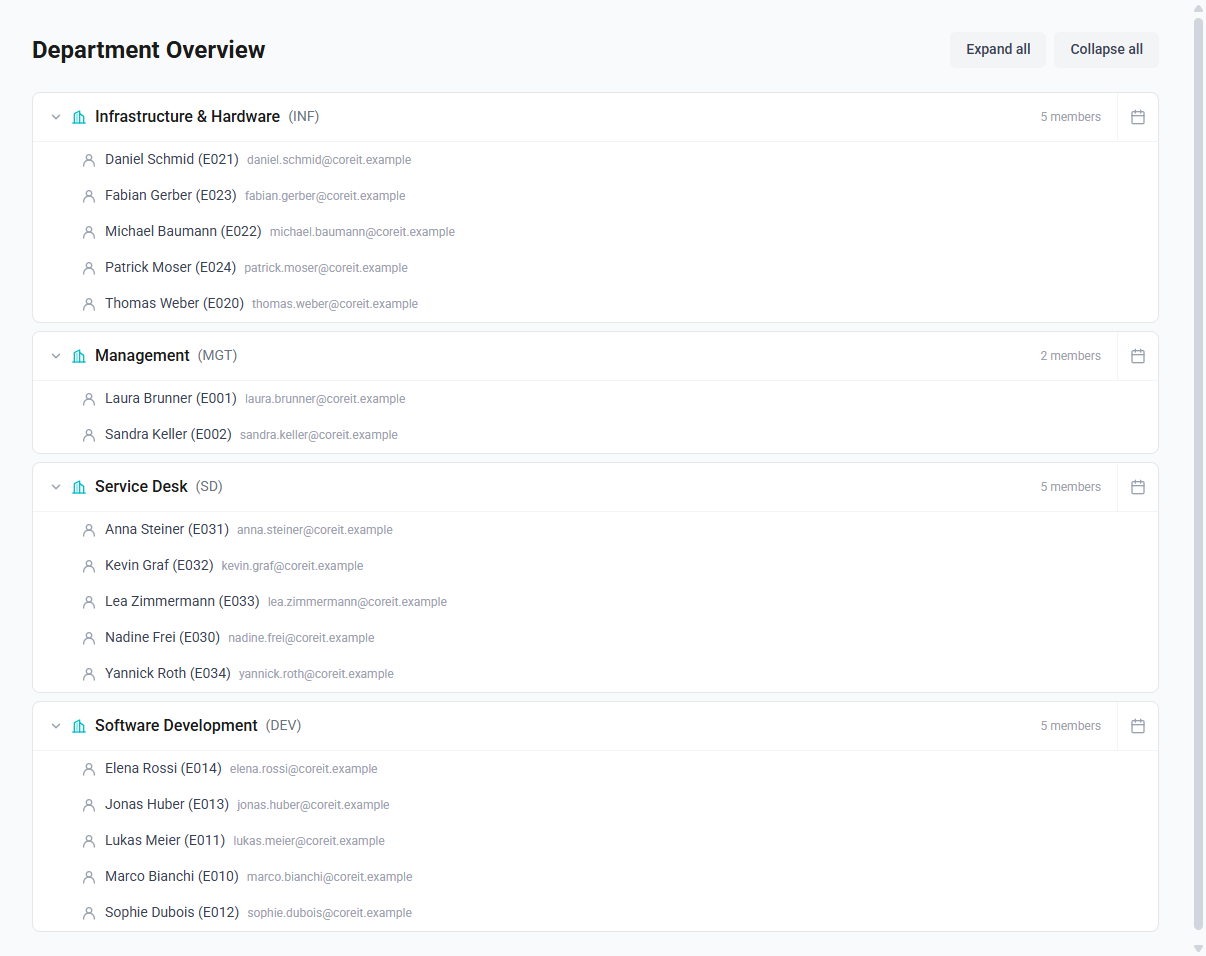
All departments start expanded. Collapse all and Expand all at the top right switch every card at once, which helps when you have many departments.
A department with nobody assigned still appears, and reads "No members." That is deliberate: an empty department is usually worth noticing.
What each person sees
- Administrators and HR see every department in the company.
- Everyone else sees the departments they belong to: their primary department and any further ones. See Belonging to several departments.
Two consequences worth knowing:
- If you are not assigned to a department, the page is empty. Ask an administrator to set your department on your employee record.
- A manager sees only their own department, not the departments of the people they manage. Managers are attached to teams rather than to departments, so there is no "departments I manage" to show. If your managers need a wider view, that is a change worth requesting rather than a setting to switch on.
What the overview does not do
- It does not change anything. Membership is set on the employee record, on its Organisation tab. The overview is read-only.
- It does not show absences. The calendar icon at the end of each row opens that department's absence calendar, which does — see Department absence calendar.
- Departments have no manager or head. Only teams do. Nothing on the card is highlighted as being in charge.